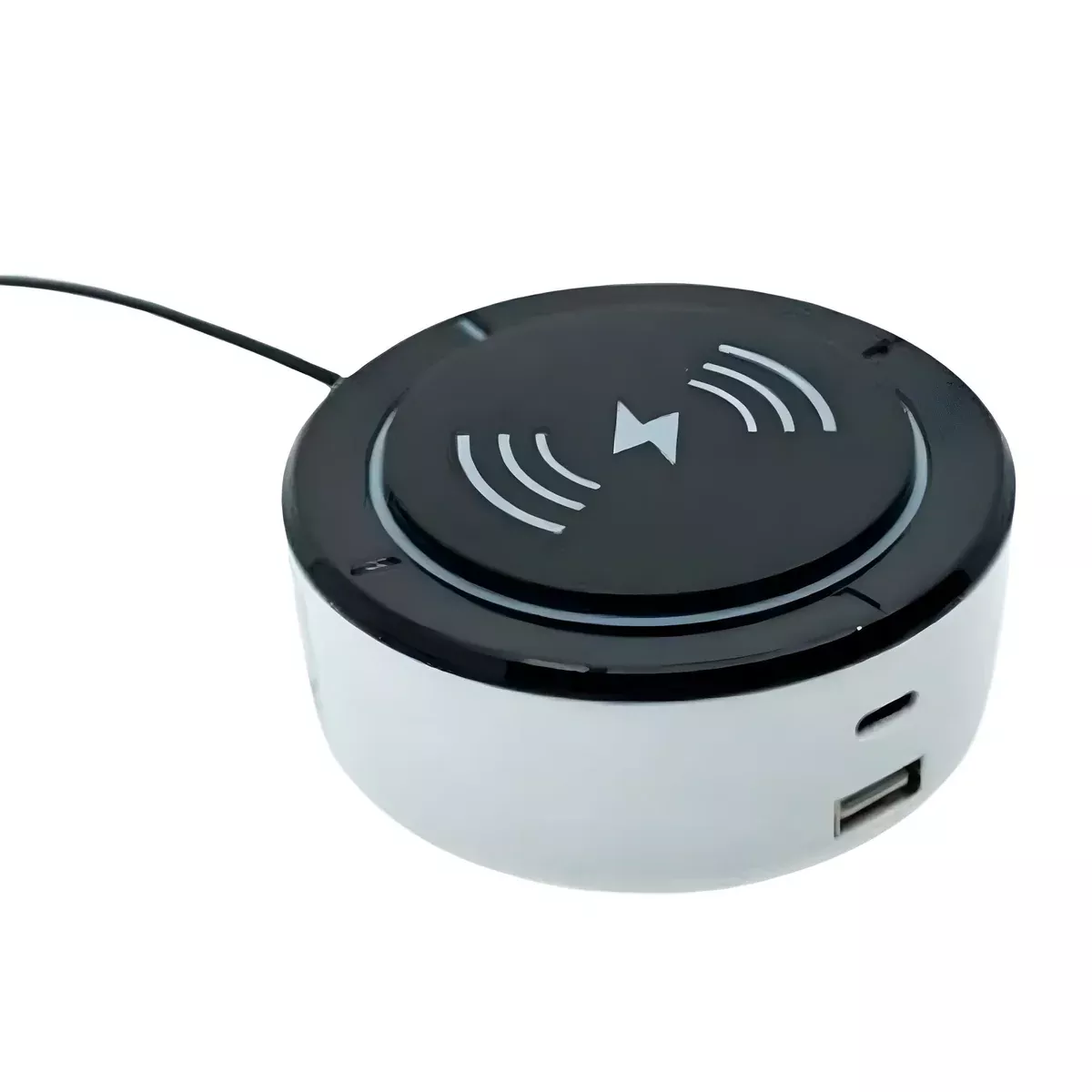
Flexabed Voice Control System – Hands-Free Bed Adjustments
Adjust your bed without reaching, stretching, or searching for a remote.
The Flexabed Voice Activation System gives you a simple way to adjust your bed without reaching for a remote. Just say “Hello Max” or “Hello Susan” to wake up the module, and the system responds to your voice so you can change positions, adjust height, or control other bed features with ease.
Place it on your nightstand for the best voice response. It connects directly to your Flexabed and is ready to use without a complicated setup.
Why Choose Voice Control for Your Bed?
Hands-Free Convenience
No need to grab a remote. Just speak, and your bed responds.
Simple, Easy Commands
Wake the system and say what you need -no complicated steps or learning curve.
Faster, Effortless Adjustments
Change positions smoothly without interrupting your comfort.
Always Within Reach
No more misplaced remotes or searching in the dark.
What You Can Control
✔Head and foot positions
✔Bed height (Hi-Low models)
✔Return to flat position
✔Adjust volume or voice settings
✔Save and recall favorite positionst
✔Turn massage on or off
✔Control under-bed lighting
Built-In Charging Convenience
The voice control module also works as a bedside charging station, so your devices stay close and ready to use.
- USB-A and USB-C ports for wired charging
- Wireless charging pad for compatible devices
- Keeps your phone nearby while you rest
Getting started is quick and simple.
Step 1: Say “Hello Max” or “Hello Susan” to wake the system
A soft blue light turns on to show it’s ready
Step 2: Speak your command
Your bed adjusts with no buttons needed
For best performance, place the module on your nightstand within clear speaking distance.
Flexabed Voice Activation System Command List
| Command | Function |
|---|---|
| Head Up | Raises the head section |
| Head Down | Lowers the head section |
| Foot Up | Raises the foot section |
| Foot Down | Lowers the foot section |
| Lift Up | Raises the entire bed height (Hi-Low) |
| Lift Down | Lowers the entire bed height (Hi-Low) |
| Stop | Stops all bed movement |
| Flat Position | Returns bed to a flat position |
| Position 1-4 | Moves bed to a saved memory position |
| Save Position 1-4 | Saves the current position |
| Massage Start | Turns on massage feature |
| Massage Stop | Turns off massage feature |
| Wave 1-4 | Selects massage wave mode |
| Level 1-4 | Adjusts massage intensity |
| Timer 10/20/30 | Sets massage timer in minutes |
| Lights On | Turns lights on |
| Lights Off | Turns lights off |
| Toggle Light | Toggles lights on or off |
| Volume Up/Down | Adjusts voice volume |
| Max Volume | Sets volume to maximum |
| Minimum Volume | Sets volume to minimum |
| Silent Mode | Turns off voice feedback |
| Switch Name to Susan | Changes voice to Susan |
| Switch Name to Max | Changes voice to Max |
Note: The Voice Control Module must be awake before it can accept a command. If the bed does not respond, simply say “Hello Max” or “Hello Susan” first.
Download Product Brochure